How to Refresh Your Workspace in Ten Minutes
A workspace does not need a complete makeover to feel fresh again. In just ten minutes, you can clear distractions, improve your setup, and create a more inviting place to work.
This quick refresh is useful at the start of the day, between tasks, or whenever your desk begins to feel crowded. The goal is not perfection. It is to make a few small changes that help your workspace feel calmer and easier to use.
Set a Ten Minute Timer
Before you begin, set a timer for ten minutes. A clear time limit keeps the process simple and prevents you from getting pulled into larger organizing projects.
You are not trying to sort every drawer or redesign the room. Focus only on the visible workspace and the items you use most often.
Gather a few basic supplies:
- A trash or recycling bag
- A small box or basket for items that belong elsewhere
- A cloth or paper towel
- A cable tie or simple cord organizer, if available
Once the timer starts, move through the steps quickly. If a task needs more time, make a note to handle it later rather than stopping your refresh.
Minute One: Remove Obvious Clutter
Begin with the easiest decisions. Look across your desk and remove anything that is clearly trash, empty packaging, used cups, old notes, or items that no longer serve a purpose.
Do not pause to reread every piece of paper. If you are unsure about something, place it in a small “review later” pile. The purpose of this first minute is to create visible space as quickly as possible.
Try these quick questions:
- Is this item trash or recycling?
- Do I need it for today’s work?
- Does it belong somewhere else?
Clear the center of your desk first. An open work surface can make the entire area feel more organized, even if a few items remain nearby.
Minutes Two and Three: Put Items Back in Place
Next, return misplaced items to their proper locations. Take dishes to the kitchen, books to a shelf, and personal items to a drawer or another room.
Use the basket or box for anything you cannot put away immediately. This keeps your desk clear without interrupting your momentum.
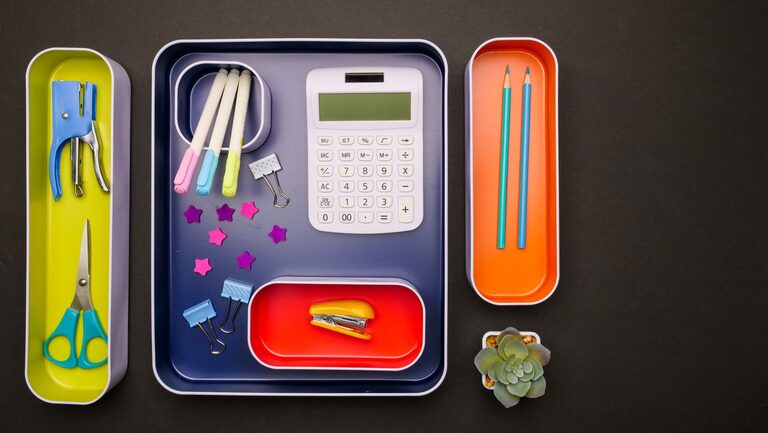
As you work, group similar items together. For example, place writing tools in one container, papers in one stack, and frequently used technology in one area. Grouping reduces visual clutter and makes everyday items easier to find.
Avoid creating several small piles across the desk. A few organized zones are easier to manage than scattered stacks.
Minute Four: Clean the Main Surfaces
A quick wipe can make your workspace feel noticeably newer. Clean the desktop, keyboard area, mouse, phone, and any other surfaces you touch often.
Use a suitable dry or slightly damp cloth, and follow the care instructions for your equipment. Avoid applying liquid directly to electronics.
Pay special attention to areas that collect dust and crumbs, such as:
- The space around your keyboard
- The edges of your monitor
- The area beneath your mouse
- Desk corners and small storage trays
You do not need to clean the entire room. Focus on the surfaces that are most visible and most frequently used.
Minutes Five and Six: Improve Your Desk Layout
Now adjust the arrangement of your workspace. Place the items you use most often within easy reach, and move occasional-use items farther away.
A simple layout might include:
- A clear central area for writing or using a laptop
- Your keyboard and mouse in a comfortable position
- One small area for frequently used supplies
- A designated place for your phone or notebook
Remove items that compete for attention. Extra decorations, several open notebooks, and unused accessories can make the desk feel busy.
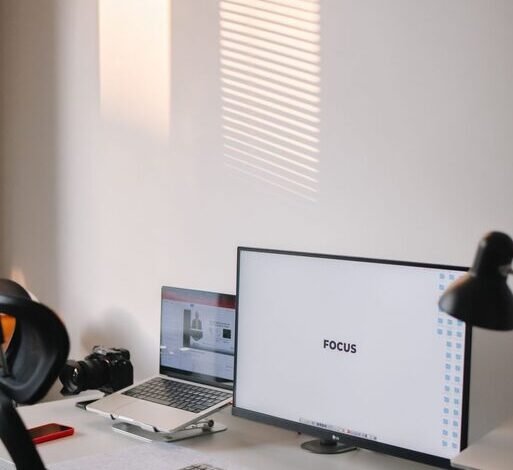
If you use a monitor, check whether it is positioned comfortably for your usual work. If you use a laptop, consider whether the screen, keyboard, and chair arrangement support a relaxed posture. Small adjustments can make the setup feel more natural.
Minutes Seven and Eight: Tame Cables and Technology
Loose cables can make a tidy workspace look messy. You do not need a complex cable management system to improve them.
Start by identifying which cables you use every day. Keep those connected and guide them along the back or side of the desk. Coil or bundle extra length with a reusable tie, clip, or simple cord organizer.
If several chargers are mixed together, label them with small tags or arrange them by device. This can save time later and prevent unnecessary unplugging.
Place technology in a consistent location. For example, keep your phone on one side of the desk, headphones on a hook or stand, and charging cables in one small area. A consistent setup makes it easier to reset the workspace at the end of the day.
Minute Nine: Add One Helpful Detail
A workspace refresh should not be only about removing things. Add one detail that makes the area more pleasant or useful.
Choose just one option:
- Place a small plant or simple decoration nearby
- Add a notepad for quick tasks
- Bring in a comfortable desk lamp
- Set out a water bottle or reusable cup
- Display a meaningful photo or encouraging note
The key is moderation. One intentional item can add character without taking over valuable work space. Choose something that supports your routine rather than creating another distraction.
Minute Ten: Prepare for the Next Task
Use the final minute to prepare for what comes next. Open the document you need, place the correct notebook on the desk, or write down the first task you plan to complete.
A clear starting point makes it easier to begin. Instead of returning to a desk full of decisions, you can sit down and take the next simple step.
Write a short list with no more than three priorities. A useful format is:
- The most important task
- A smaller task that can be completed quickly
- One item to review or plan later
Keep the list visible, but do not let it cover your entire workspace.
How to Keep the Refresh Going
A ten-minute reset works best when it becomes a regular habit. At the end of each work session, take two minutes to return items, remove trash, and prepare the desk for the next day.
You can also create a weekly five-minute check-in. Look for items that repeatedly collect on the desk. If something is always out of place, it may need a better home or a more convenient storage option.
Keep frequently used tools nearby and limit the number of items that live permanently on the desktop. The easier it is to put things away, the more likely you are to maintain the space.
A Fresh Workspace, One Small Step at a Time
Refreshing your workspace in ten minutes is less about cleaning everything and more about making thoughtful improvements. Remove obvious clutter, return misplaced items, wipe the main surfaces, adjust your layout, and prepare for your next task.
These small actions can make your workspace feel clearer and more welcoming without requiring a major purchase or a full reorganization. When your desk supports the way you work, it becomes easier to settle in and get started.